
Bundles save up to 25%. See every bundle

Code Boss
Dark

Full screen

What it does

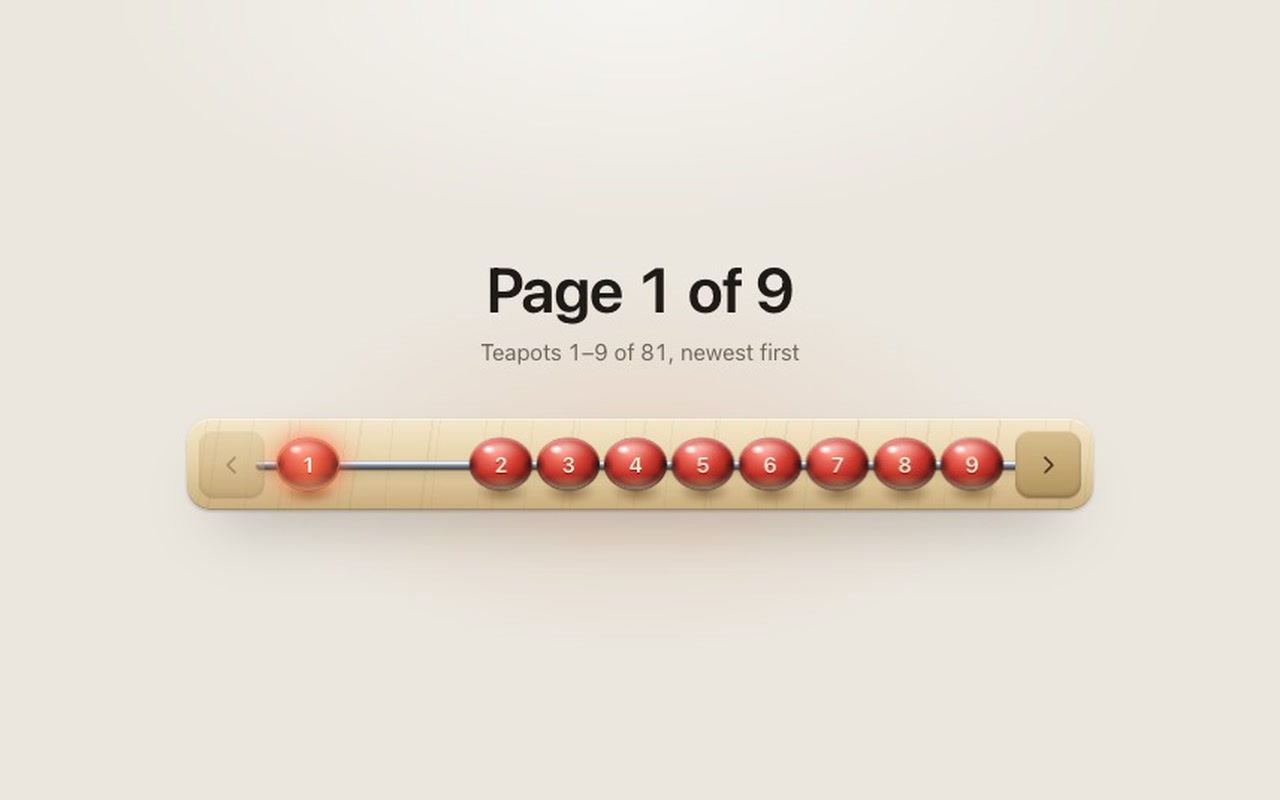
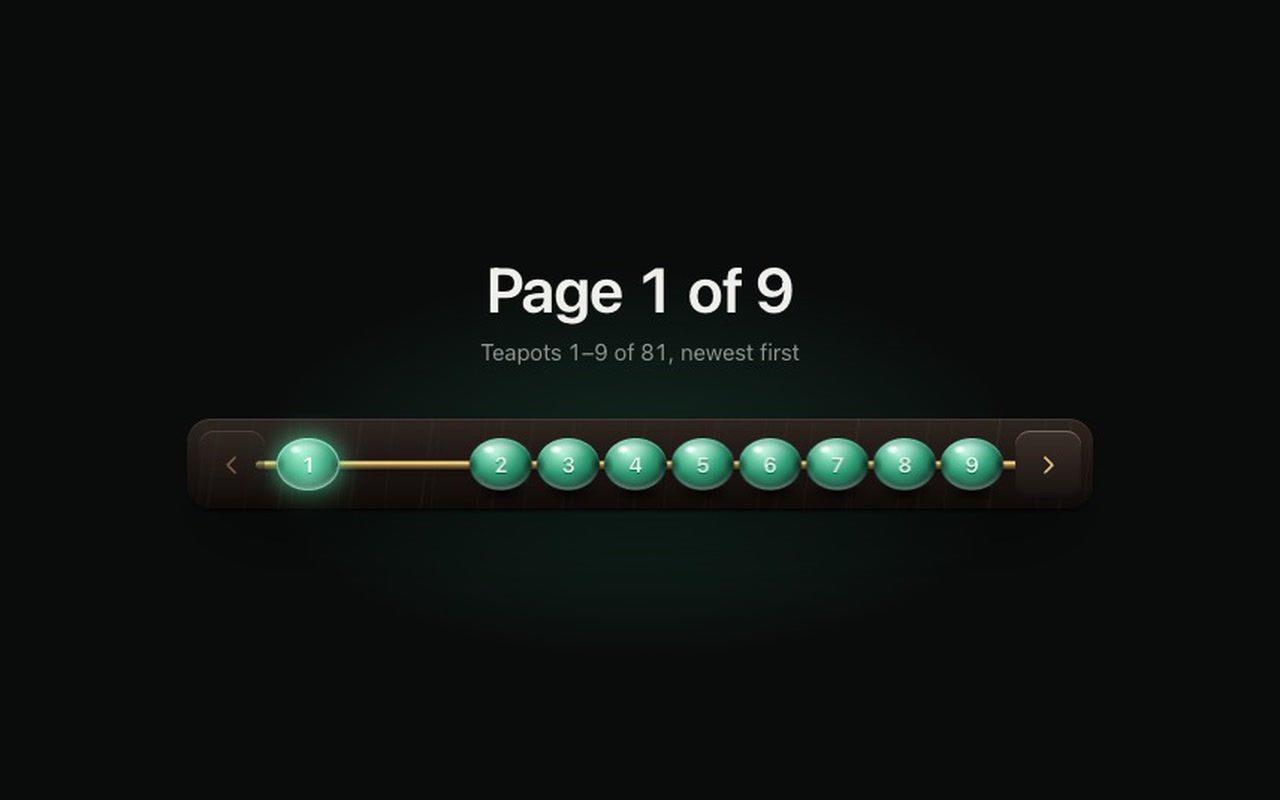
A pagination control built like an abacus: a wooden frame, a metal rod, and one lacquered bead per page. The pages up to the current one sit in a group on the left, the rest wait on the right, and the current page is the last bead of the left group, lit from inside. Pick a page and the beads in between cross the gap as a chain, one after another, with a short overshoot; the group they land against gives two pixels and springs back, and the new current bead lights with a bloom that runs out along the rod. Prev and Next posts at the ends move exactly one bead. You can also pull the beads by hand: grab bead 9 and pull it left, and beads 2 to 9 slide across together as one chain under your finger; let go and they clack into place. A quick flick on the rod turns one page. The beads are shaded like real ones: a hard specular spot and a soft window reflection, a rim light on the lower edge, light bounced up from the frame, darkening where the rod enters, and a shadow on the frame underneath. A bead in flight leaves a short trail. Light theme is pale maple with cherry beads on steel; dark is ebony with jade beads on brass.

Good for
Product lists, search results, catalogues, galleries, blog archives, reading apps, dashboards with paged tables, anywhere pagination is the thing users touch most.
How it works
The script builds the beads from a page count and places them from the current page, so a change made mid-slide retargets the beads from where they are instead of restarting. Pulling uses Pointer Events, so mouse, touch and pen all work: the beads follow the pointer 1:1, resist past the end of the gap, and on release continue at the speed you let go with; the landing page is picked from where that speed would carry them, so a flick goes across. A flick anywhere on the rod is next (left) or previous (right). An optional onPreview reports the page while you pull. Above 12 pages the rod shows a window of beads around the current page with … at the ends. Your onChange gets the new page number.
How to use
Copy two files, paste the <nav> markup, call init with pages and onChange.

Specs

Price
$5, one payment
Version
1.0.0
Code size
11.3 KB gzipped
Dependencies
None
Built with
HTML, CSS, JavaScript
Category
Navigation
Licence
Unlimited personal and client projects
In the zip
  • abacus.css abacus.jsthe component
  • index.htmla plain example page
  • README.md package.json vite.config.js LICENSE.md

Use it in your project

  1. Copy abacus.css and abacus.js into your project.
  2. Add the markup from index.html (the block between the COMPONENT comments): a <nav> frame with two end posts and an empty rail. The script builds the beads and the icons.
  3. Start it with your page count and listen for changes:
import { init } from './abacus.js';

const pager = init(document.querySelector('.abacus'), {
  pages: 9,
  page: 1,
  onChange: (page) => loadResults(page),
  onPreview: (page) => showPageNumber(page),   // optional: while a bead is being pulled
});

Beads for the pages up to the current one gather on the left, the rest wait on the right, and the current page is the last bead of the left group, lit from inside. Choosing a page sends the beads in between across the gap as a chain: one after another, a small overshoot, the group they land against gives two pixels and springs back, and the new current bead lights with a short bloom. Prev and Next move exactly one bead. A change made while beads are still moving retargets them from where they are; a bead already on its way to the right slot keeps going.

Questions

What exactly do I get?

The full source, an example page and a README. No account, no framework.

Can I use it in client projects?

Yes, in unlimited projects. You can't resell or share the source itself.

How many pages can it show?

Any number. Up to 12 every page has a bead on the rod; above that, a window of 7 beads (you choose how many) follows the current page, with … marks where there are more.

Does it work on phones?

Yes. Under 460px the beads shrink to 24px and touch, so nine pages fit in a 320px screen. It responds on touch-down, not on release. You can pull beads with a finger or flick the rod; a vertical swipe over the rod still scrolls the page.

Can I turn off dragging?

Yes, drag: false. Taps, Prev/Next and the keyboard keep working.

Is it accessible?

It's a <nav> of real buttons: each bead is named "Page 4", the current one has aria-current="page", and a live region announces the new page. Arrow keys, Home and End move along the rod from a focused bead.

What happens with reduced motion?

Beads crossfade between positions instead of sliding; no clack, streak or bloom. The current bead still lights. Pulling still works, without rubber-banding, stretch or trail.

Can I change the colours?

Yes. The frame, posts, rod, beads, numbers, the light in the current bead and the focus ring each have their own variables, so a brass-and-ivory or steel-and-black abacus is a few lines.

Light and dark?

Both are designed: maple, steel and cherry by day; ebony, brass and jade by night. With no theme set it follows the system.

What if it doesn't work for me?

If it doesn't work like the demo, you get a refund within 14 days.

Still have a question? Email us. The person who made it answers.

Your cart

Your cart is empty. Browse components

Full screen